Best AI Chatbot for Cal.com in 2026: 10 Tools That Actually Book Meetings
The best AI chatbot for Cal.com is one that talks to your website visitor, checks your real free times through the Cal.com API, and finishes the booking inside the chat. In 2026 the tools that do this properly are Markleyo AI ($14.50/month), Chatbase ($40/month), Boei ($49/month), Botpress ($150/month), Voiceflow and Quickchat AI. Cheaper chat tools like Tidio and Landbot can reach Cal.com too, but only through Zapier or a webhook, which is slower and breaks more often.
Here is the part most guides get wrong. Cal.com already has its own AI, called Cal.ai. But Cal.ai makes phone calls out to people at $0.29 a minute. It does not sit on your website and answer the visitor who is reading your pricing page at 11pm. That is the job a chatbot does, and that is the gap this guide fills.
This article explains how a Cal.com chatbot works, which 10 tools really connect to it, what each one costs, and how to set one up step by step.
Table of Contents
What is an AI chatbot for Cal.com?
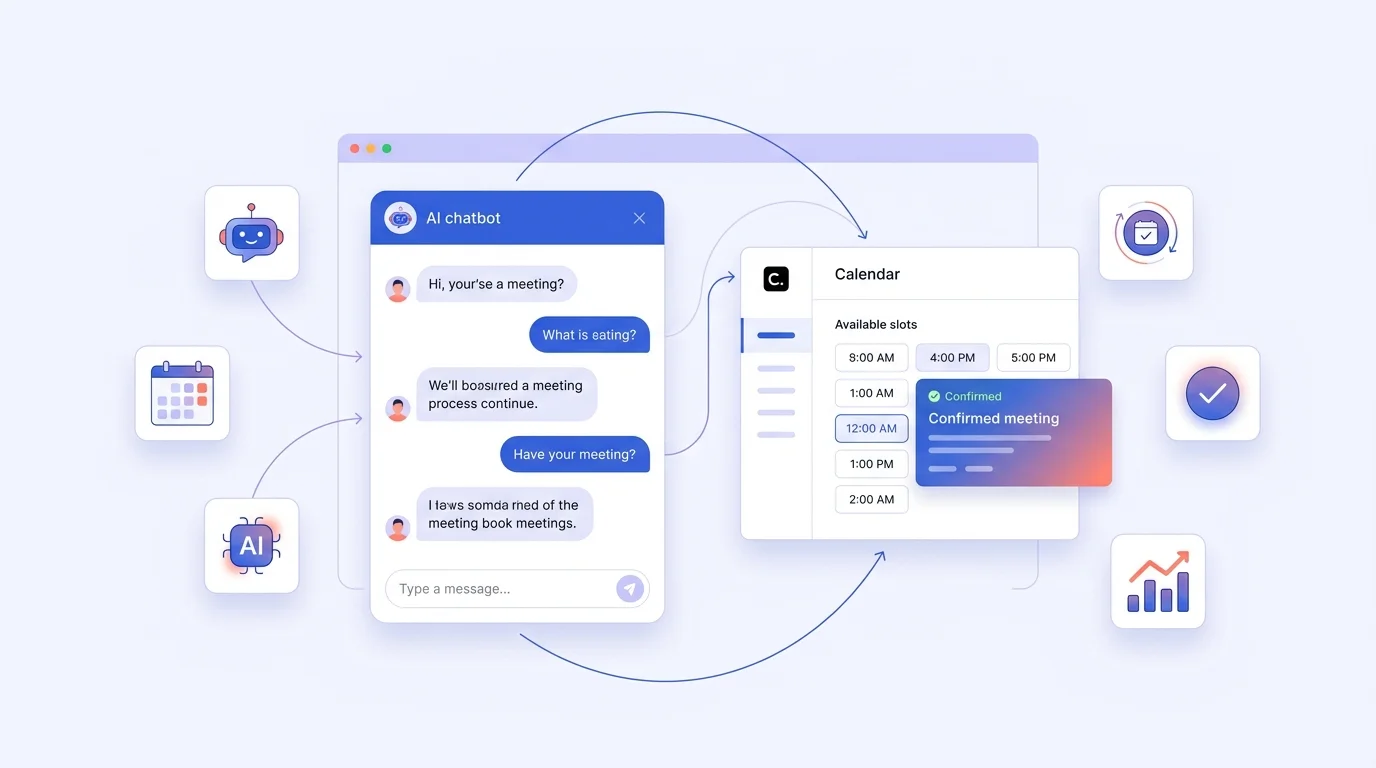
An AI chatbot for Cal.com is a chat window on your website (or WhatsApp, Instagram or Messenger) that answers questions like a helpful person, and when the visitor is ready, books them straight into your Cal.com calendar without sending them to another page.
Think of it like the difference between a shop assistant and a sign on the wall. A booking link is the sign: it says “click here to book” and hopes the customer works it out. A chatbot is the assistant: it answers the question, then says “I have Thursday at 3pm or Friday at 10am, which suits you?” and writes the appointment down.
Both end in a booking. One loses far fewer people on the way.
Why this matters: speed wins bookings
Research by MIT and InsideSales found that businesses which reply to a new lead within five minutes are up to 21 times more likely to qualify that lead than businesses that wait 30 minutes. A chatbot replies in about two seconds, any hour of the day. That is the whole argument for putting one in front of your Cal.com calendar.
Cal.com vs Cal.ai: what each one actually does
A lot of people get confused here, so let’s clear it up.
| Cal.com | Cal.ai | An AI chatbot | |
|---|---|---|---|
| What it is | The scheduling tool and calendar | Cal.com’s AI phone agent | A chat window on your site or apps |
| Who starts the conversation | The visitor clicks your link | Your business calls the person | The visitor types a question |
| Direction | Both | Outbound calls only | Inbound |
| Channel | Web booking page | Phone | Website chat, WhatsApp, Instagram, Messenger, Telegram |
| Cost | Free to $28/user/month | $0.29 per minute | $14.50 to $150+/month |
| Answers questions first? | No | Limited | Yes, that is the point |
So Cal.ai and a chatbot are not rivals. Cal.ai chases people by phone. A chatbot catches the people already on your website. Many businesses use both.
How a Cal.com chatbot works (in plain words)
There are three steps, and they happen in about a second.
Step 1: The bot reads your calendar. It asks Cal.com’s API “when is this person free?” Cal.com sends back your real open slots.
Step 2: The bot offers those times in the chat. The visitor picks one. The bot may also ask a couple of questions first, like “what is this about?” or “how many people are in your team?”
Step 3: The bot creates the booking. It sends the name, email, time zone and any notes from the chat to Cal.com’s /bookings endpoint. Cal.com sends the confirmation email and the calendar invite, exactly as if the person had used your booking page.
Some tools also handle rescheduling and cancelling in chat, which saves a lot of email back-and-forth.
Two ways tools connect: native vs Zapier
This is the single most important thing to check before you pay for anything.
| Native integration | Zapier or webhook | |
|---|---|---|
| How it works | The tool has a built-in Cal.com connection | You glue the two together with a middleman app |
| Live free slots in chat? | Yes | Usually no, it just sends a link |
| Speed | Instant | A few seconds’ delay, sometimes minutes |
| Extra cost | None | Zapier plans start around $20/month |
| Breaks when? | Rarely | Whenever the middle app hiccups |
If a tool’s website does not name Cal.com anywhere, assume it is the Zapier route. Ask the vendor to show you a live demo booking before you pay.
Best AI chatbot options to integrate with Cal.com
Here are the 10 tools worth your time in 2026, with what each one really does and what it costs.
Quick comparison table
| # | Tool | Cal.com connection | Starting price | Best for |
|---|---|---|---|---|
| 1 | Markleyo AI | Listed integration, plus chat on 5 channels | $14.50/month | Small businesses that want chat, calls and booking in one tool |
| 2 | Chatbase | Native: paste your event URL, slots show in chat | $40/month | Fast setup on a website |
| 3 | Boei | Native API: check, book, reschedule, cancel | $49/month (annual) | Full booking control in chat, plus WhatsApp and SMS |
| 4 | Botpress | Official integration: list events, book event | $150/month (annual) | Developers building custom flows |
| 5 | Voiceflow | Documented Cal.com integration | Not published | Teams designing complex agent journeys |
| 6 | Quickchat AI | API actions: check availability, book | Not published | Businesses that want a custom-trained agent |
| 7 | DocsBot | Supports Cal.com, Calendly and TidyCal | Mid-range | Turning help docs into a booking bot |
| 8 | Landbot | Webhook or Zapier | $36/month (annual) | Visual, no-code chat flows |
| 9 | SiteGPT | API or webhook | $39/month (annual) | Content-heavy sites with lots of questions |
| 10 | Tidio | Zapier only | $24.17/month (annual) | Shops already using Tidio for live chat |
Now the detail.
1. Markleyo AI — best all-in-one for small businesses

Price: $14.50/month. Cal.com: on our integrations list.
We built Markleyo because small teams were paying for four tools to do one job. Our chatbot answers on your website, WhatsApp, Telegram, Instagram and Messenger from a single dashboard, and Cal.com and Calendly both sit on our integrations list. The same $14.50 also covers our AI calling agent, our marketing bot for WhatsApp and Telegram, our AI writer and our no-code agent builder. When someone asks for a human, the chat hands over to your team.
We are the makers, so treat this entry as our pitch and check it like you would check anyone else’s. Start a free trial, open the chat on your own site and book a real Cal.com slot. If you want us to walk you through the Cal.com side before you pay, message us in the chat widget and we will show you live. We would rather you see it working than take our word for it.
Good for: one small team that wants chat on every channel, calls and booking without four subscriptions. Not for: developers who want to write custom code around every step of the flow.
2. Chatbase — easiest native setup

Price: from $40/month (Hobby, 700 credits; extra credits $40 per 1,000). Cal.com: native.
Chatbase is probably the quickest way to get Cal.com booking working. You paste your Cal.com event URL into the Chatbase dashboard, and the agent shows open times inside the chat. You can also set triggers, such as offering a booking when someone asks about pricing or asks for a human.
Watch the credits. 700 credits a month sounds generous until a busy month turns into a $40 top-up, then another.
Good for: getting live this afternoon. Not for: high-volume sites, where credit costs stack up.
3. Boei — most complete booking control

Price: $49/month on the Growth plan (annual), 3 chatbots, 7,000 AI credits, 7-day free trial. Cal.com: native API.
Boei does the full set: it checks your open slots through the Cal.com API, books with the attendee details and notes from the chat, reschedules for returning visitors, and cancels (then offers a new time instead). It runs on web chat, WhatsApp, email and SMS, and it works with self-hosted Cal.com too.
Note that the webhook access needed for Cal.com sits on the Growth plan, so the free trial is how you test it.
Good for: businesses where people reschedule a lot, like clinics, salons and consultants. Not for: the tightest budgets.
4. Botpress — best for developers

Price: from $150/month (annual), 250 conversations, then $65 per extra 100. Cal.com: official integration, maintained by the Botpress team.
The Botpress Cal.com integration lists your available events and books them. Around that you can build almost anything, because Botpress is a proper agent-building platform, not just a widget.
The price is the catch. 250 conversations a month is not many, and $65 per extra 100 conversations means a viral week can hurt.
Good for: teams with a developer and a complex process. Not for: a small business that just wants bookings.
5. Voiceflow — best for designing the whole journey

Price: not published (request a quote). Cal.com: documented integration.
Voiceflow is a design tool for AI agents. You map out the conversation visually, then connect Cal.com so the agent can book. Big teams like it because designers and developers can work on the same flow.
Since pricing is not public, get a written quote with your expected message volume in it.
Good for: larger teams with a dedicated agent designer. Not for: anyone who needs a price before a sales call.
6. Quickchat AI — custom agent with API actions

Price: not published. Cal.com: connected through API actions.
Quickchat connects with your Cal.com API key, your username and your event type slug. The agent then checks open slots and books through the /bookings endpoint. Rescheduling is not covered in their guide, so ask about it.
Good for: businesses that want a heavily customised, well-trained agent. Not for: people who want to self-serve without talking to sales.
7. DocsBot — turn your help docs into a booking bot

Price: mid-range (check current plans). Cal.com: supported, along with Calendly and TidyCal.
DocsBot learns from your documentation and answers support questions, then offers a booking when the answer is “you should really talk to someone.” Useful if most of your chats are questions, not sales.
Good for: software and service businesses with lots of documentation. Not for: shops with simple product questions.
8. Landbot — visual flows, Cal.com by webhook

Price: from $36/month (annual), 500 chats + 100 AI chats, then $0.05 per chat and $0.10 per AI chat. Cal.com: webhook or Zapier.
Landbot is lovely to build in, with a drag-and-drop flow builder. But the Cal.com link is a webhook you set up yourself, or Zapier, so live slots in chat take extra work.
Good for: marketers who want to design the conversation themselves. Not for: anyone who wants Cal.com working out of the box.
9. SiteGPT — good value on message volume

Price: $39/month annual ($59 monthly), 4,000 messages, extra 5,000 messages for $39/month annual. Cal.com: API or webhook.
SiteGPT gives you far more messages for your money than most, which matters on a busy site. Booking needs an API or webhook setup, so plan an hour with a developer.
Good for: content-heavy sites with high chat volume. Not for: a plug-and-play booking flow.
10. Tidio — cheapest start, but Zapier only

Price: from $24.17/month (annual), 100 billable conversations; AI quotas sold in blocks of 50–1,000. Cal.com: Zapier.
Tidio is a solid live chat tool that many small shops already use. There is no native Cal.com app, so bookings go through Zapier, which adds a monthly cost and a delay. If you already pay for Tidio, it is worth trying before switching.
Good for: businesses already inside Tidio. Not for: anyone starting fresh who wants real Cal.com booking.
What about Intercom Fin?

Intercom’s Fin charges $0.99 per resolved conversation plus seats from $29/month, and has no native Cal.com app. It is excellent support software, but it is an expensive way to book meetings on a small site.
Which AI chatbot platforms work seamlessly with Cal.com scheduling?
The platforms that work seamlessly with Cal.com scheduling are the ones with a native API connection: Boei (check, book, reschedule and cancel), Chatbase (paste the event URL and slots appear in chat), Botpress (official integration), Voiceflow, Quickchat AI and DocsBot. Markleyo AI lists Cal.com as a supported integration and adds WhatsApp, Instagram, Messenger and Telegram. Everything else reaches Cal.com through Zapier or a webhook, which is not the same thing.
Here is how to tell “seamless” from “sort of works” in 60 seconds:
- Search the tool’s site for “Cal.com.” No result means no native support.
- Ask: does the bot show my real free times inside the chat? If it only pastes a link, it is not integrated, it is just polite.
- Ask whether it can reschedule and cancel, not only book. Most cannot.
- Ask which Cal.com API version it uses. Cal.com’s v2 API needs a version header, and older integrations sometimes break.
- Test it on your own calendar during a free trial, in your own time zone.
Where to find AI chatbots designed for Cal.com integration
There are four reliable places to look, and one to avoid.
| Where | What you find | Trust level |
|---|---|---|
| Cal.com’s own app store and docs | Apps built to work with Cal.com, plus the API reference | Highest |
| The chatbot vendor’s integrations page | A page named “Cal.com” means a real, maintained connection | High |
| The vendor’s docs or blog, with setup steps | Screenshots and API calls prove it exists | High |
| Zapier’s Cal.com page | Everything that connects indirectly | Medium: works, but adds cost and delay |
| Listicles with no setup screenshots | Often guesswork | Low |
A simple search trick: type site:toolname.com cal.com into Google. If nothing comes back, the integration is probably not real.
How much does a Cal.com chatbot really cost?
Add up three things, not one.
| Cost | Typical amount | Notes |
|---|---|---|
| Cal.com itself | $0 to $28/user/month | Free for one person. Teams $12/user/month annual for routing forms and round-robin |
| The chatbot | $14.50 to $150/month | Watch message, credit and conversation limits |
| The glue (if needed) | About $20/month for Zapier | Only if your chatbot has no native connection |
| Overages | $0.05 to $65 per block | Landbot $0.05/chat, Chatbase $40 per 1,000 credits, Botpress $65 per 100 conversations |
A real example. A solo consultant on Cal.com Free with Markleyo at $14.50/month pays about $14.50 a month in total. The same consultant on Cal.com Free with Botpress pays $150 a month, and more in a busy month. Both book meetings. One costs ten times as much.
Watch out for: conversation limits counted per chat rather than per message, AI credits that a single long conversation can eat, and per-seat pricing that grows every time you add a team member.
How to set up a Cal.com chatbot (step by step)
You can do this in an afternoon.
- Create your event type in Cal.com. Set the length, buffer time and how far ahead people can book. Do this first, because the bot copies these rules.
- Get your API key. In Cal.com, go to Settings, then API keys, and create one. Keep it secret, like a password.
- Note your username and event slug. They appear in your booking link, for example
cal.com/yourname/30min. - Pick a chatbot with a native Cal.com connection from the list above, and start a free trial.
- Connect them. Most tools ask for the API key, your username and the event slug. Chatbase just wants the event URL. Add the
cal-api-versionheader if the tool asks for it. - Feed the bot your knowledge. Upload your pricing, FAQs and service pages so it can answer questions before it offers a time.
- Write two or three qualifying questions. For example: “What are you hoping to solve?” and “How soon do you need this?” These notes land in the booking, so you arrive prepared.
- Test it yourself. Book a real slot from your phone, in a different time zone if you can. Check the confirmation email, the calendar invite and the notes.
- Test rescheduling and cancelling. If the bot cannot do these, decide now who handles them.
- Turn on human handover. When someone asks for a person, the bot should pass the chat over. Research by Drift found people rate human replies about four times better than bot-only replies. Use the bot for speed and a human for the hard bits.
Cal.com vs Calendly: which works better with chatbots?
Both work. The differences that matter for chatbots are these.
| Cal.com | Calendly | |
|---|---|---|
| Free plan | 1 user, unlimited event types | 1 event type |
| Paid entry | $12/user/month annual | Around $10–12/user/month |
| API | Open v2 REST API, well documented | Good API, more limits on lower plans |
| Self-hosting | Yes, open source | No |
| Chatbot support | Growing fast, several native integrations | More tools support it, because it is older |
Short version: Calendly is supported by more chatbots because it has been around longer. Cal.com is friendlier to build on, because it is open source and its API is open to everyone. If you have already chosen Cal.com, the tools in this guide are enough. If you use Calendly instead, our Calendly chatbot guide covers that side.
How we compared these tools
We checked each vendor’s own integration pages, docs and pricing pages in September 2026, and Cal.com’s pricing and Cal.ai pages on 22 September 2026. Where a vendor does not publish prices (Voiceflow, Quickchat AI), we say so instead of guessing. Where a tool reaches Cal.com only through Zapier, we say that too, even when the tool markets itself as a booking bot. Markleyo is our own product, and we have told you exactly what to verify before buying it.
Frequently asked questions
What is the best AI chatbot for Cal.com?
For most small businesses, Markleyo AI at $14.50/month offers the best value because it covers website chat plus WhatsApp, Instagram, Messenger and Telegram and lists Cal.com as an integration. If you want the deepest booking control in chat, Boei at $49/month can check slots, book, reschedule and cancel. For the fastest setup, Chatbase at $40/month only needs your event URL.
Can a chatbot book appointments in Cal.com automatically?
Yes. A chatbot with a native connection asks Cal.com’s API for your free times, shows them in the chat and then creates the booking with the visitor’s name, email and time zone. Cal.com sends the confirmation and calendar invite as usual.
Is there a free AI chatbot for Cal.com?
Cal.com itself is free for one user, and most chatbots offer a free trial (Boei gives 7 days). There is no reliable long-term free chatbot with native Cal.com booking. Free plans usually stop at a handful of messages or leave out the webhook access that booking needs.
How do I add a chatbot to Cal.com?
You do not add it inside Cal.com. You add the chatbot to your website, then connect it to Cal.com with your API key, username and event slug. The chatbot makes the calls to Cal.com, not the other way round.
Does Cal.com have its own AI chatbot?
Cal.com has Cal.ai, but it is an AI phone agent that makes outbound calls at $0.29 per minute, with credits included on Teams (750 per member per month) and Organizations (1,000). It is not a chat widget for your website, so you still need a chatbot for visitors who arrive on your site.
What does a Cal.com AI agent cost per month?
Expect $14.50 to $150 a month for the chatbot, plus $0 to $28 per user for Cal.com, plus about $20 a month for Zapier if your chatbot has no native connection. Check overage prices too: Chatbase charges $40 per extra 1,000 credits and Botpress $65 per extra 100 conversations.
Can the chatbot reschedule or cancel Cal.com bookings?
Some can. Boei handles check, book, reschedule and cancel. Botpress’s official integration lists events and books them. Quickchat’s guide covers availability and booking but not rescheduling. Always ask, because rescheduling is where most of the email work actually is.
Will a chatbot work with self-hosted Cal.com?
Yes, if the tool supports it. Boei states that self-hosted Cal.com is fully supported. For others, ask whether you can point the integration at your own Cal.com URL rather than cal.com.
The bottom line
If you use Cal.com, a booking link on its own is leaving meetings on the table. A chatbot answers the question first, then books the meeting while the visitor is still interested. Choose a tool with a native Cal.com connection, test a real booking during the trial, and check whether it can reschedule as well as book. Then add up the chatbot, Cal.com and any Zapier cost before you sign up, because the sticker price is rarely the whole price.
Want chat and Cal.com booking without four subscriptions? Markleyo AI answers questions on your website, WhatsApp, Telegram, Instagram and Messenger, hands over to your team when someone asks for a person, and lists Cal.com among its integrations. Start your free Markleyo AI trial from $14.50/month, and ask us to show you a live Cal.com booking before you commit.