How Can AI Chatbot Training Improve Accuracy and Engagement?
Most teams want their chatbot to be sharp, helpful, and just human enough to feel friendly. That does not happen by accident. It takes deliberate AI chatbot training, clear goals, strong data, and thoughtful iteration. The payoff shows up in shorter wait times, happier customers, and fewer late-night fire drills for support leads.
Quick steps to train an AI chatbot. Define use cases and success metrics. Collect and label conversational data. Choose a model and add retrieval for knowledge. Design prompts or fine-tune with supervision. Test with real users, monitor, and improve with feedback loops. Keep privacy, safety, and compliance in scope at every step.
Table of Contents
What AI Chatbot Training Involves
Difference between training and tuning
People often use training, tuning, and configuration as if they mean the same thing. They do not. Pretraining means teaching a model general language patterns from large text corpora. That work happens once by model providers. Fine-tuning means updating a pretrained model with task-specific examples so responses follow your instructions and brand style more reliably. Prompt design means writing system and user instructions that steer behavior without changing model weights. Retrieval augmented generation, often called RAG, means letting the chatbot look up facts from an index of your content before answering, which keeps responses grounded and current.
Think of it like this. Pretraining is learning the language. Fine-tuning is learning your playbook. Prompts and tools are the game plan for each possession. RAG is the scout report on new info so the team does not guess. Each one has a role. Most production chatbots mix prompt engineering, guardrails, and RAG, and only add fine-tuning when repeated instructions cannot fix stubborn behavior or style gaps.
Core components of the training process
- Goal definition: Decide intents, workflows, and success metrics before touching data.
- Data development: Collect, clean, and label AI chatbot training data with intents, entities, and actions.
- Instruction design: Write clear system prompts, few-shot exemplars, and tool definitions.
- Grounding: Build a custom knowledge base and retrieval pipeline to reduce hallucinations.
- Supervised tuning: Optional fine-tune on instruction-response pairs for style and consistency.
- Evaluation and safety: Measure quality and risk using structured tests and red teaming aligned to an AI risk framework.
- Monitoring: Track drift, failures, and user feedback, then ship targeted fixes on a cadence.
Required skills for chatbot AI training
- Conversation design: Map intents, define tone, write helpful replies, and craft guardrails.
- Data labeling: Create intent taxonomies and annotate entities with high agreement.
- Prompt engineering: Design system instructions, few-shot prompts, and function schemas.
- Python and tooling: Build pipelines, evals, and integrations using libraries like Rasa or Haystack.
- Measurement: Define goals, run A B tests, and analyze confusion matrices.
- Compliance awareness: Apply GDPR and CCPA obligations, and follow responsible AI practices.
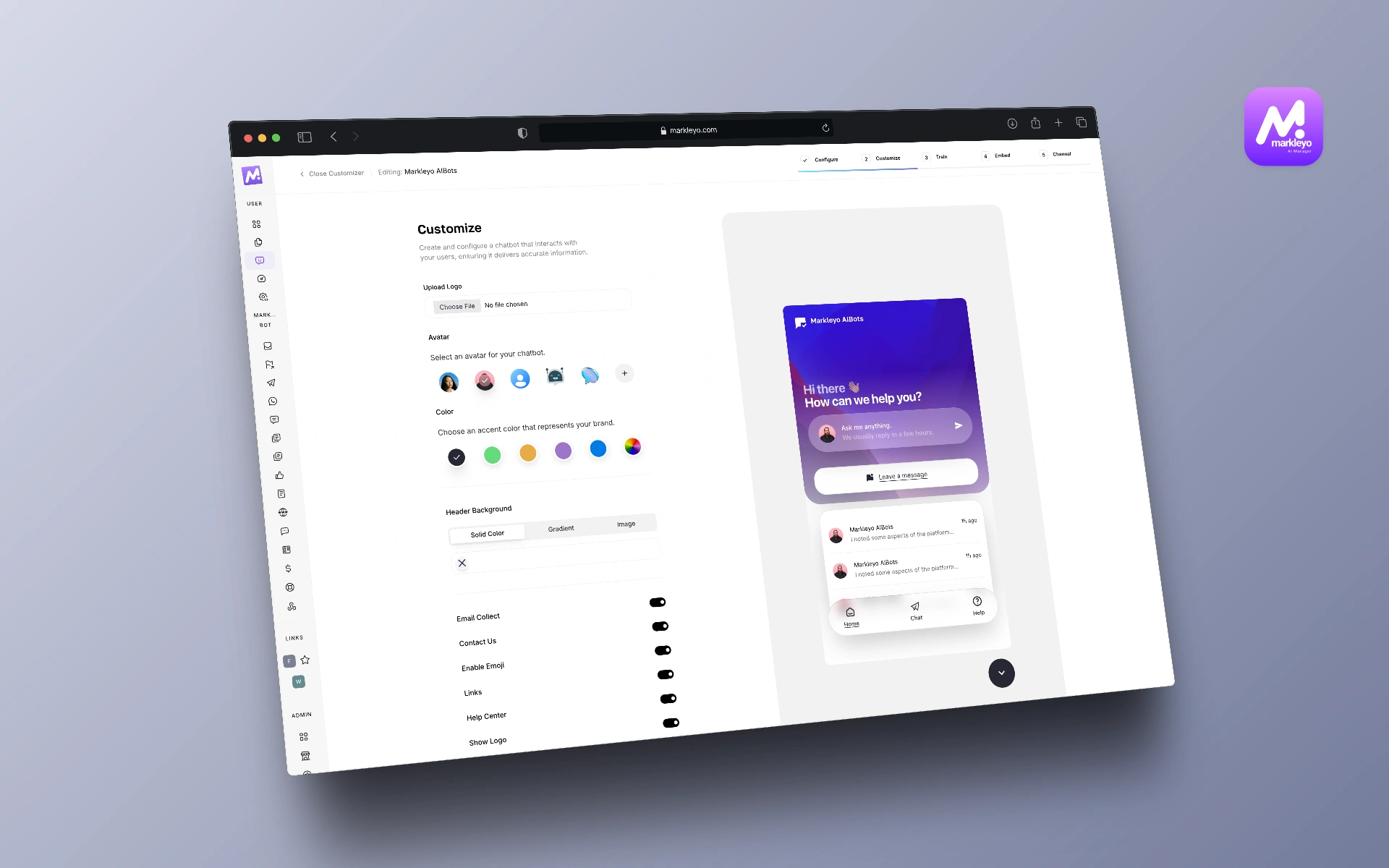
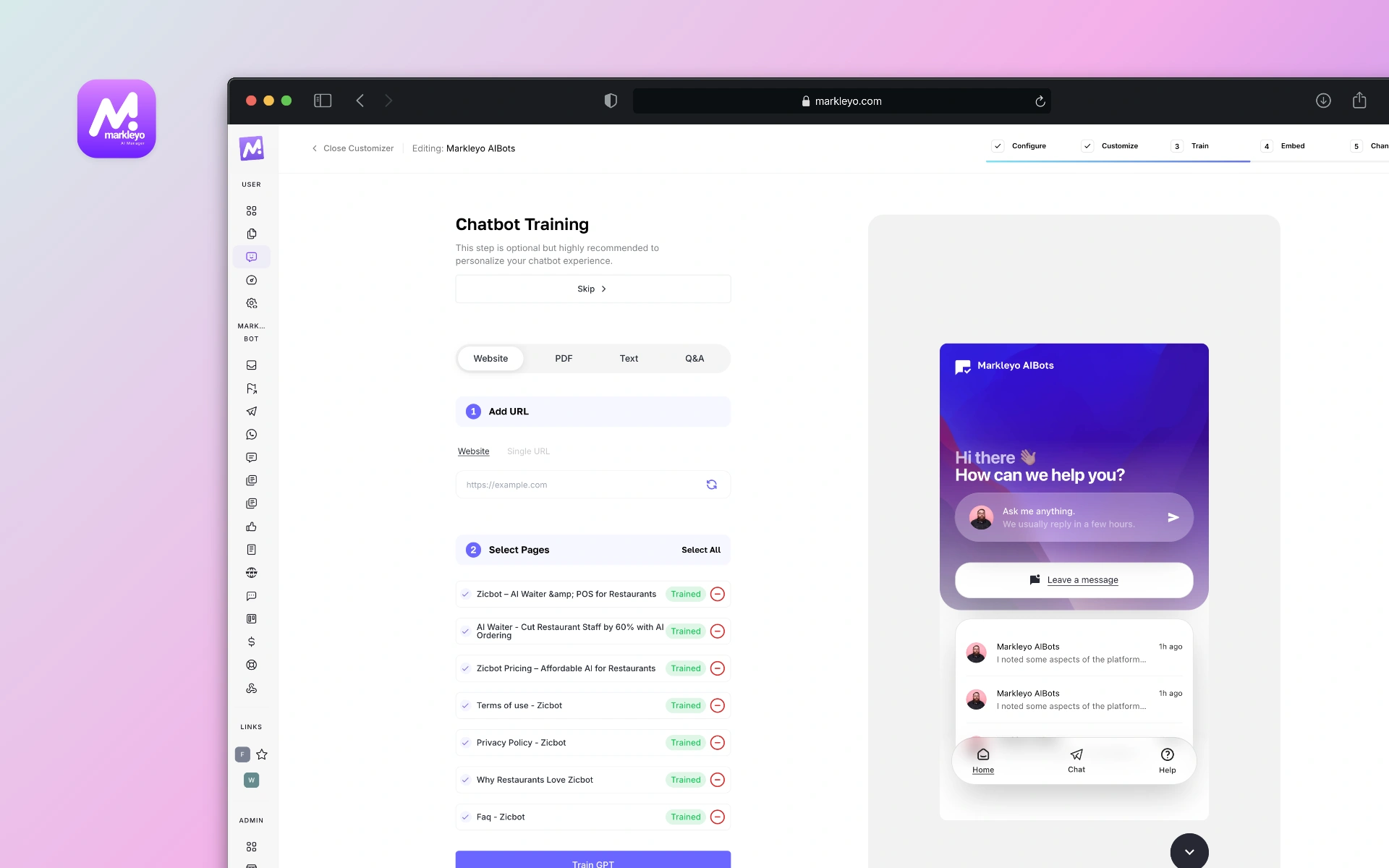
Markleyo AI has done that all for you means you don’t have to have any coding skills while creating a chatbot. Just use built-in steps and have your AI chatbot created within 5 minutes.
Set Goals and Use Cases
Map user intents and success metrics
Start with jobs to be done. List the top ten reasons people message your team. Convert those into explicit intents plus example utterances. Define what success looks like for each intent. Containment rate. First contact resolution. Average handle time. Escalation percentage. CSAT and NPS after chat. These are the north stars that guide every training choice.
Make targets real. For example, raise resolution for password resets from 78 percent to 92 percent within six weeks. That specificity narrows scope and unlocks smarter tradeoffs between speed, accuracy, and cost. Document what counts as success so evaluation is not guesswork.
Define audience and conversation tone
Who is the chatbot talking to and how should it sound. A billing assistant can be brisk and precise. A campus help bot can use warmer language. Draft a mini style guide. Reading level. Use or avoid emojis. Sentence length. When to apologize. People notice tone most when something goes wrong. Clear tone rules prevent surprises.
Align with compliance and safety needs
Map data and risks before launch. If chats mention health information, HIPAA boundaries and data handling rules apply in the United States. If you have users in the European Union, GDPR obligations like data minimization and subject rights apply. Businesses serving California residents fall under CCPA including notice and opt-out rights. Add safety policies for sensitive topics like self harm and hate. Use model policies and moderation APIs to filter and route risky content for human review.
Build and Organize Training Data
Collect high quality conversational data
Great outcomes start with clean, representative conversations. Pull transcripts from help desk tools, email threads, and call summaries. De-identify personal data and get consent for training where required by law or policy. Fill gaps with synthetic conversations generated under strict prompts, then validate those examples with human reviewers to avoid synthetic bias creeping in.
Balance the dataset. Include short and long turns. Add variations in phrasing such as slang and accents in transcriptions. Cover success paths and failure modes. The goal is not volume. The goal is coverage and clarity.
Label intents entities and actions
Define a stable intent taxonomy with clear boundaries. Two intents that overlap create confusion for both models and evaluators. Label entities like product names and dates. Annotate required actions such as Create ticket or Reset password. Use labeling tools that track inter-annotator agreement and support review queues. Create a sampling process that spot checks at least 10 percent of labels weekly during training.
Create a custom knowledge base
RAG works best when the corpus is tidy, consolidate canonical content, policies, product docs, pricing, and support run-books. Chunk documents into small passages and store them with embeddings for semantic search. Keep each chunk self contained with a title, source URL, and timestamp so the chatbot can cite sources and the team can audit answers. Schedule refresh jobs so the index stays current after policy or price updates.
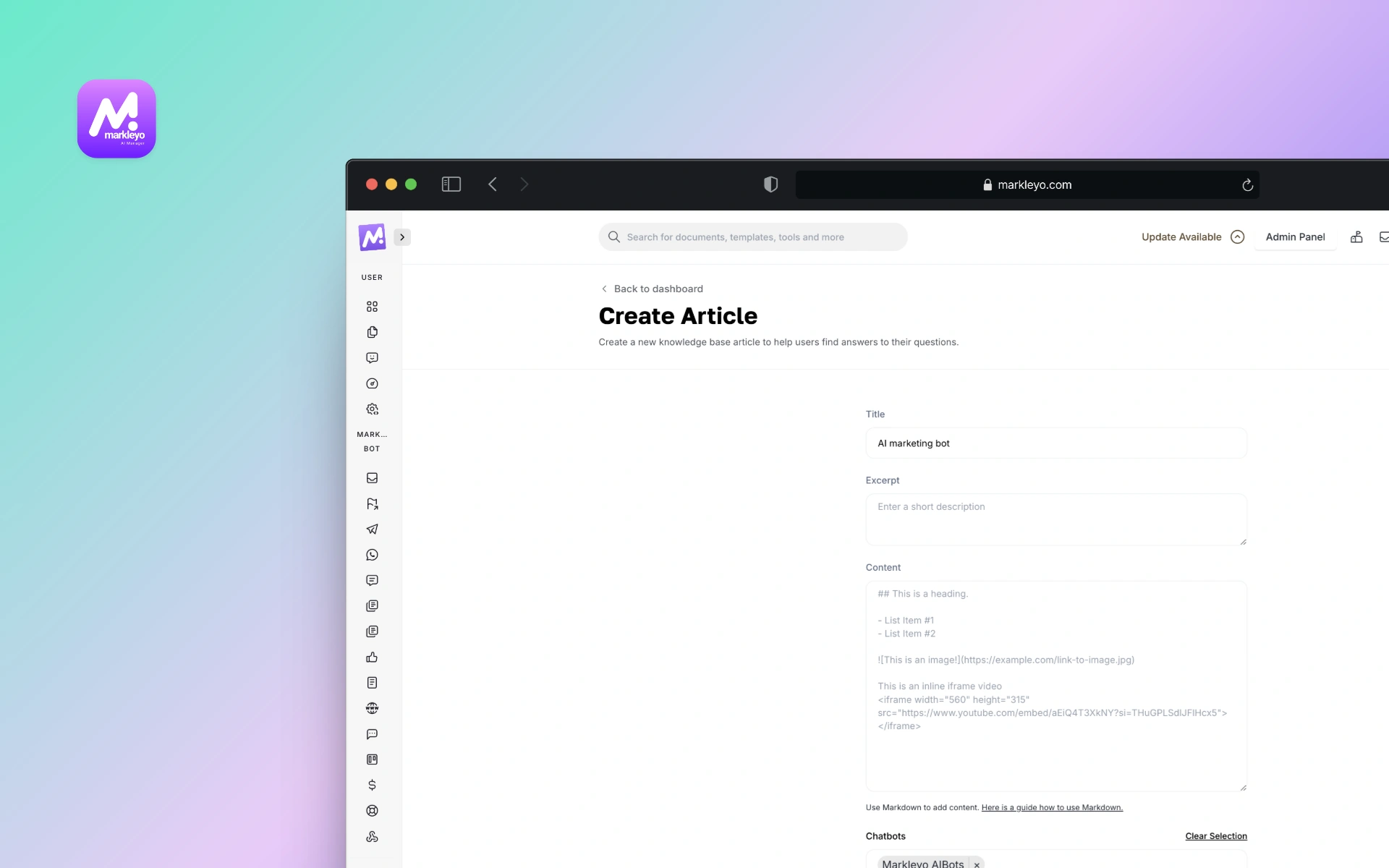
Markleyo AI comes with built-in knowledge base feature where you can add unlimited knowledge base articles about your brand, product or services.
Choose Models and Tools
Rule based vs LLM powered chatbots
Both styles have a place. Rule-based systems follow decision trees and regex. They are predictable and low cost, but brittle outside known cases. LLM powered chatbots handle open language and can generalize from examples, but need guardrails and good grounding to avoid errors. Many teams blend the two. Use rules for account lookups and verification steps. Use LLMs for understanding and helpful phrasing.
| Approach | Best for | Tradeoffs |
| Rule based | Fixed flows like order status | Fast and cheap, but limited coverage |
| LLM powered | Open questions and multi turn help | Flexible, needs grounding and testing |
How to train a chatbot in Python
Python is the home base for many chatbot frameworks. Two reliable patterns stand out. A Rasa stack for NLU plus rules and actions. Or an LLM stack with a retrieval library like Haystack or LangChain that wraps an API model.
- Set up environment: Create a virtual environment, install Rasa or Haystack, and pick a model API such as OpenAI or open source Llama derivatives.
- Prepare data: Convert transcripts into intent examples and entity labels. For LLM RAG, split documents into chunks and build an embeddings index.
- Design prompts and policies: Write a system prompt with tone, scope, and refusal rules. Add tools like search or ticket creation.
- Train or configure: For Rasa, train NLU and stories. For LLM RAG, test retrieval, then fine-tune if repeated instruction drift appears.
- Evaluate: Run scripted tests for intent accuracy and groundedness. Add red team prompts for safety.
- Deploy and monitor: Log conversations, measure KPIs, and ship weekly fixes based on failure review.
When to use RAG for domain knowledge
Use RAG when answers must cite policy, when content changes weekly, or when the model should quote exact wording. Legal terms, pricing, benefits, eligibility, and how-to procedures all benefit. RAG also helps reduce hallucinations by grounding answers in retrieved passages and enables citations for audit trails. If the knowledge base is thin or rarely changes, crisp prompts and a small fine-tune can be enough.
AI Chatbot Training Process Step by Step
Supervised instruction and prompt design
Good prompts act like rails. Start with a system instruction that sets role, scope, tone, and safety boundaries. Add few-shot examples that mirror your top intents. Define output formats such as JSON for actions and text for replies. Keep instructions short, concrete, and testable. When prompts hit a wall, move to supervised fine-tuning with carefully curated instruction-response pairs that reflect brand style and policy.
Iterative testing and evaluation
Put structure around evaluation so it does not become vibe checks. Create a test set of user prompts tied to intents and expected outcomes. Track metrics such as intent accuracy, groundedness rate, refusal accuracy, escalation accuracy, and cost per conversation. Run adversarial and bias probes that stress sensitive topics and edge cases using an AI risk framework like the NIST AI RMF. Repeat after every material change in prompts, data, or model choice.
| Metric | What it shows | Target example |
| Containment rate | How often chat resolves without human | 85 percent for billing intents |
| Groundedness | Answers citing provided sources | 95 percent for policy answers |
| Refusal accuracy | Properly refuses out of scope requests | 98 percent on safety probes |
Deployment monitoring and feedback loops
Real users will surprise any plan. Instrument logs to capture prompts, retrieved passages, and outputs with privacy safeguards. Sample failures daily. Label root causes such as retrieval miss, ambiguous intent, or wrong tone. Use small fixes first. Update a prompt, add a synonym, tune a threshold. Batch larger changes for weekly releases. Maintain a human escalation lane with context pass-through so customers never feel trapped.
Improve Accuracy and Engagement
Persona memory and context handling
People want to be remembered, not tracked. Use short-term memory to keep context within a session. Summarize long threads into brief notes and pass them to the next turn. For long-term memory, store explicit user preferences only with consent and clear value exchange such as preferred pronouns or default store location. Add time-to-live policies so stale preferences expire gracefully.
Reduce hallucinations and errors
- Ground with RAG and cite sources in sensitive domains.
- Use function calling and tools for deterministic tasks like database lookups.
- Constrain outputs with schemas to avoid free form drift.
- Add abstain logic. Teach the bot to say I do not know and escalate when evidence is thin.
- Run safety filters and topic classification before reply generation.
One small example from retail. A returns policy changed overnight. With RAG refresh jobs, the bot quoted the new 45 day window the next morning. Without it, customers would have seen the old 30 day rule and a flood of tickets would have followed. Quiet saves matter.
Personalization based on user signals
Personalization works when it helps the user. Use signals like location, past orders, or preferred channels to skip steps. Always ask for consent and give an easy way to reset preferences. Avoid inferring sensitive attributes. Respect data minimization rules in GDPR and CCPA and document your purpose for each field you store.
Integrate With Business Workflows
CRM and help desk integration
Chatbots feel smarter when they can take action. Connect to CRM for lead updates and to help desk software for ticket creation and status checks. Use API scopes that limit access to what the bot needs. Log every action with trace IDs so support teams can audit changes quickly.
Analytics and AB testing
Run experiments to compare prompt versions or retrieval settings. Use holdout groups and meaningful windows like two weeks to account for weekday patterns. Pair quantitative metrics with qualitative review of transcripts. Numbers show trends. Transcripts show why.
Handoff to human agents
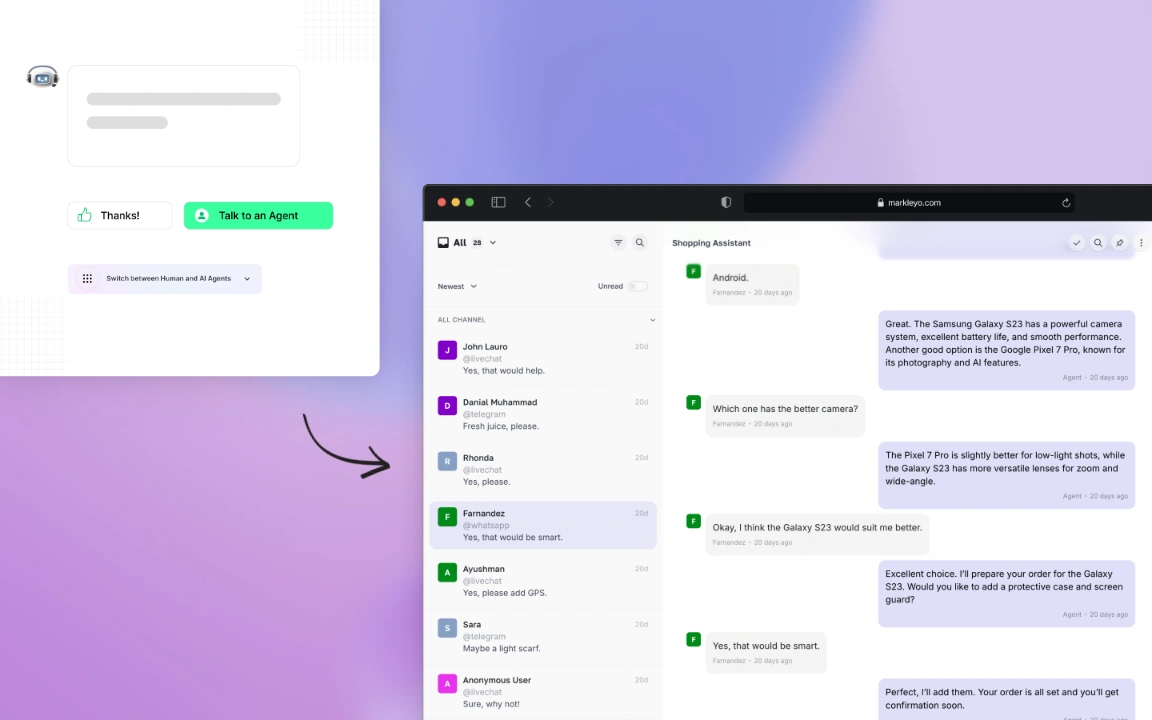
Design graceful exits. Trigger handoff when confidence drops, sentiment sours, or the user asks for a person. Pass conversation context, retrieved sources, and user metadata to the agent view so customers never need to repeat themselves. After resolution, feed that transcript back into training to close the loop.
Career Paths and Jobs in AI Chatbot Training
Entry level roles and required skills
Entry paths include AI data annotator, conversation designer, and chatbot trainer. Daily work includes labeling intents, writing example prompts, and reviewing chat quality. Helpful skills include clear writing, detail orientation, and comfort with tooling. Many roles list Python familiarity as a plus rather than a must at entry level, with on-the-job upskilling common based on job boards in the United States.
Remote AI chatbot training jobs in the United States
Remote roles are common. Search terms that work. ai chatbot training jobs. ai chatbot training jobs remote. chatbot AI training. training for AI chatbots. Many listings cluster on general job boards like Indeed and LinkedIn and sometimes on project marketplaces with variable availability as of 2025. Read scope carefully. Confirm classification, pay structure, and data privacy practices before accepting work.
Where to find roles on Outlier AI and Reddit
Some platforms run labeling or instruction projects that include outlier AI chatbot training tasks with variable timelines and rates. Community forums such as Reddit have recurring threads on ai chatbot training jobs reddit and train ai chatbot earn money, though availability changes and due diligence is wise. Look for subreddits focused on remote jobs and data work. Avoid sharing personal data and confirm client identity before engaging.
Learning Paths and Free Courses
Free AI chatbot training resources
- Rasa docs and tutorials for intent classification and dialogue policies.
- Haystack or LangChain guides for retrieval and LLM orchestration.
- Model provider prompt engineering guides and safety notes.
- NIST AI RMF for a practical risk and evaluation framework.
Chatbot courses on Udemy and Coursera
Structured courses can accelerate learning. Coursera hosts chatbot and conversational AI programs that cover design and tooling, with options that change over time. Udemy offers hands-on projects including how to train ai chatbot with custom knowledge base and how to train a chatbot in Python. Course quality varies. Check recent reviews and update dates before enrolling.
Build a learning plan and practice projects
- Month one: Learn Python basics, prompt design, and evaluation. Ship a simple FAQ bot.
- Month two: Add RAG to ground answers, plus a ticketing integration. Run your first A B test.
- Month three: Tackle fine-tuning, safety probes, and multi-intent routing. Publish a portfolio with transcripts and metrics.
Two portfolio ideas. A healthcare appointment bot that enforces safety refusals without storing protected information. A campus IT assistant that reads a policy wiki through RAG and cites sources in every answer. These projects show practical judgment as much as technical skill.
Ethics Safety and Compliance for Chatbots
Data privacy and user consent
State what the chatbot collects and why. Ask for consent for anything beyond what is strictly needed. Honor deletion requests and retention limits. GDPR and CCPA both emphasize transparency, minimization, and user rights. Build data handling into the product, not as an afterthought.
Bias detection and mitigation
Bias creeps in through training data, prompts, and evaluation blind spots. Use diverse examples and reviewers. Add bias probes for demographics and sensitive attributes. Track disparities in outcomes. The NIST AI Risk Management Framework offers practical steps for measurement and mitigation across the AI lifecycle.
Transparent instructions and disclaimers
People should know when they are chatting with a bot. Say it plainly. Add disclosures for limitations and sensitive domains. The United States Federal Trade Commission has warned repeatedly about deceptive AI claims and undisclosed limitations, which puts clarity at a premium for compliance and trust. As the saying goes, sunlight is the best disinfectant.
Troubleshooting and Common Pitfalls
When you do not need to train your chatbot
Many teams jump to fine-tuning too soon. If the model already understands the task with a clear prompt and RAG, skip training and ship. Add fine-tuning only when you see repeated, well-diagnosed gaps such as tone consistency or structured output compliance that prompts cannot fix reliably.
Handling edge cases and failures
Expect the long tail. Create a fallback map for unknown intents, low confidence answers, and off-topic requests. Add a Try again suggestion that reformulates the question. Offer a quick path to a person. Log every miss and turn the worst five into test cases each week. Small, steady improvements beat big, occasional overhauls.
Measure ROI and success over time
Connect metrics to money and time. Track deflection of tickets by intent. Measure average handle time reduction for assisted agents. Compare cost per resolved conversation before and after. Add customer sentiment from survey snippets or a quality rubric. ROI grows as the bot earns more high-confidence coverage. Publish a monthly scorecard and keep moving the targets as the bot learns.
Conclusion
Training AI chatbots is a practical craft. Start with use cases, ground with your knowledge, and test what matters. A good bot does not guess. It cites, escalates when unsure, and learns fast. Next step. Pick one high-impact intent and run the AI chatbot training process end to end this week.
Forward look. Models will keep improving, but teams that master goals, data, and evaluation will win the day. The same playbook will adapt as tools change. The last 100 words land a simple point. AI chatbot training is not a one-time project. It is a habit that makes every conversation better.
FAQs About AI Chatbot Training
How do you train AI chatbots?
Start with goals and top user intents. Build and label a clean dataset. Choose a model plus RAG for knowledge. Design crisp system prompts and few-shot examples. Evaluate with scripted tests. Only add fine-tuning when prompts are not enough. Monitor, gather feedback, and improve on a steady cadence.
How to learn AI chatbot development?
Learn Python basics and prompt design. Practice with open tools like Rasa for NLU and Haystack or LangChain for retrieval. Take a free ai chatbot training course or a structured class on Coursera or Udemy. Build two practice projects with metrics and publish your process for employers to review.
Can you get paid to train chatbots?
Yes. Roles include ai chatbot training jobs like conversation designer, AI trainer, and data annotator. Many are remote in the United States. Some platforms run project-based work, including outlier ai chatbot training tasks, with pay and availability that change over time. Review terms and privacy policies before joining.