
 AI Chatbot for Wix
The AI chatbot for Wix that never misses a visitor
An AI chatbot for Wix is a chat bubble on your site that learns your own pages, then answers visitors on its own. Markleyo reads your Wix site, prices and policies, then replies in seconds, suggests the right thing, books calls and captures every lead. From $21.60/month. One snippet in Custom Code, live in five minutes.



- Trained on your own Wix pages
- One snippet, no app to install
- Editor, Studio & Harmony
- From $21.60/mo · 5-day free trial
What are the advantages of using an AI chatbot on a Wix website?
Markleyo is conversational AI trained on your own Wix pages, not the open internet. It answers visitors in seconds, works while your team is offline, keeps every chat in one inbox, and passes the hard ones to a human with the full story attached.
It works the hours your team cannot.
Visitors turn up at 6am and at midnight, and they do not wait until Monday. Your Wix site looks great at those hours but cannot answer anything. The AI can, so the question gets a real answer while everyone on your side is asleep.
It never loses a lead.
Every chat and every captured lead lands in one shared inbox, whether it came from your Wix site, WhatsApp, Instagram, Messenger or Telegram. Your team sees the name, the question and the history in one place, so nothing sits unanswered for three days.
It answers the same questions, forever.
Prices, opening hours, how to book, what is included, delivery, refunds: all answered from your own pages, in seconds, at any hour. Roughly 9 out of 10 of these repeat questions get closed without anyone on your team touching them.
It learns your Wix site by itself.
Paste your site URL and it reads your pages, prices, FAQs and policies in minutes. Add PDFs or spreadsheets on top. It answers from that library only, so it will not invent a discount or a slot you never had free.
It knows when to call a human.
Odd request, angry customer, a refund worth arguing about? It hands the chat to your team with the whole conversation attached, so your agent starts halfway through instead of asking the shopper to explain it all again.
Why do Wix visitors leave without asking?
A contact form asks people to type their life story and wait a day. Most will not bother. They close the tab, you never learn what they wanted, and your lovely Wix site gets the blame.
Questions never get asked
- Visitors leave rather than fill in a form
- The same five questions fill your inbox weekly
- Every visitor sees the same static page
- Nobody helps the visitor who is nearly ready
- Replies stop the moment you close your laptop
Every visitor gets a helper
- Instant answers pulled from your own pages
- Explains prices, hours and booking on its own
- Answers the last question before they leave
- Captures every lead and books the calls
- Replies 24/7 in each visitor’s own language
What changes the day
your AI chatbot goes live.
What Wix owners see once the AI answers first, in seconds, at any hour, in any language, without waking anybody up.
Averages across websites running Markleyo. Your own numbers depend on traffic, page count and how well the bot is trained.
Which AI chatbot solutions integrate seamlessly with Wix?
Any chatbot that gives you a script tag will run on Wix, because Custom Code accepts them all. The usual names are Tidio at $29 a month with its Lyro AI another $39, ChatBot.com at $19 to $79 per user plus packs of AI resolutions, Chatbase from $40, Elfsight’s widget, and Wix’s own chat, which is free but cannot answer anything on its own. Markleyo is flat at $21.60, or $10.80 for your first term with code EARLY50, with WhatsApp, Instagram, Messenger and Telegram in the same plan. One catch applies to all of them: Custom Code needs a paid Wix plan. Prices checked in November 2026.
MarkleyoHow to add a chatbot to Wix in five steps
One snippet, about five minutes, no developer. You never touch the canvas or redesign a single page.
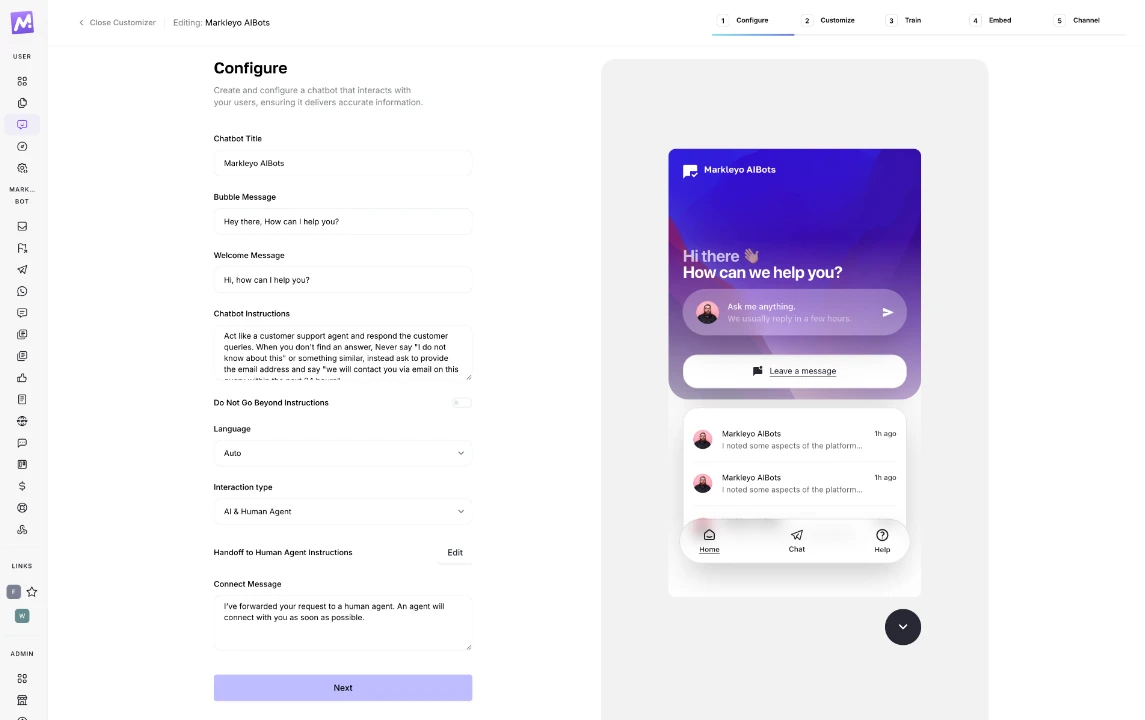
Create your chatbot and set the greeting
Sign up, name your bot, write the first line visitors will see and choose who replies: AI, your team, or both. Nothing here is locked behind a higher tier.
Match it to your Wix design
Drop in your logo, avatar and brand colour, pick which corner the bubble sits in, and switch on lead capture. You spent time on how your site looks, so the chat should not stick out like a stranger.

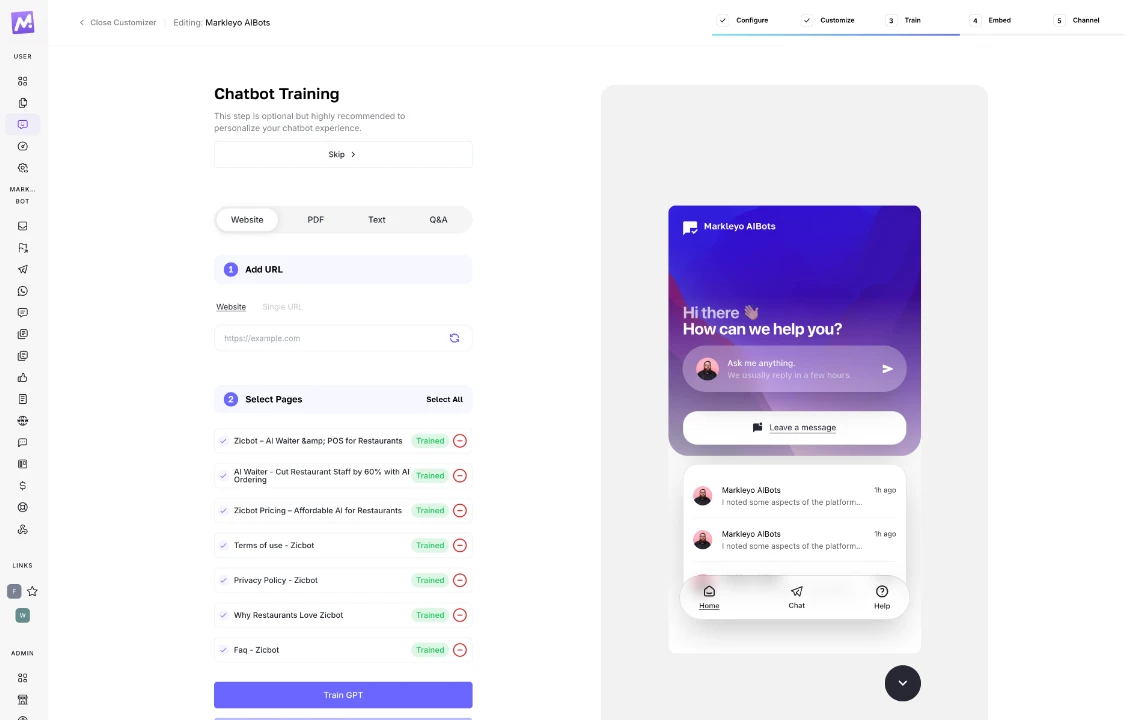
Let it learn your Wix site
Paste your site URL and add any PDFs, spreadsheets, price lists or FAQs you already have. Training takes minutes. After that it answers from your own content only, so its facts match what is on your pages.
Paste the snippet into Custom Code
In Wix go to Settings → Advanced → Custom Code and click Add Custom Code. Paste your snippet, choose All pages, set Load code once and place it in Body – end. Use Custom Code rather than the HTML embed element, because embeds run in a sandboxed iframe that stops a floating bubble working properly.

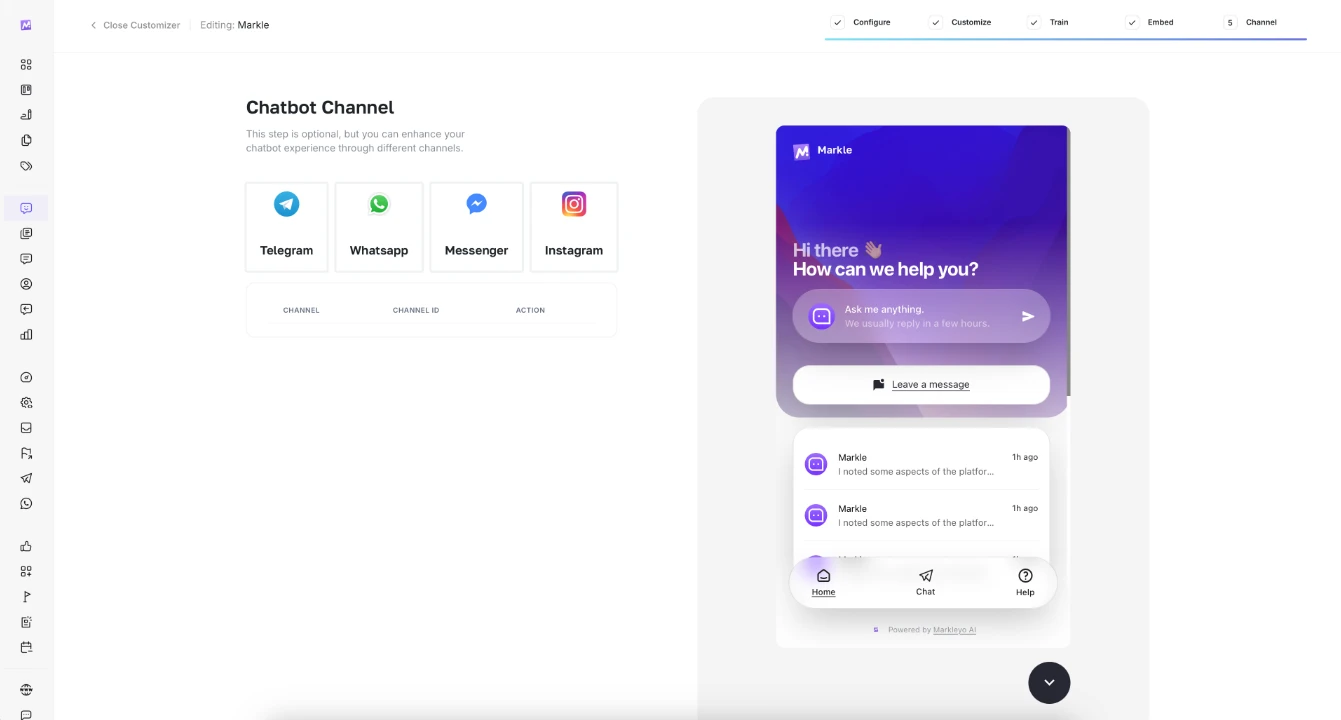
Publish, then add your other channels
Hit Publish in Wix and the bubble is live on every page. Then link WhatsApp, Instagram, Messenger and Telegram so the same trained bot answers there too, with every chat landing in one shared inbox. No extra fee, on any plan.
AI chatbot for Wix: your questions answered
What Wix owners ask us most often before they switch it on, including the two Wix settings that catch people out.
Start freeHow do I add a chatbot to my Wix website?
Copy your Markleyo snippet, then in Wix open Settings, go to Advanced, then Custom Code, and click Add Custom Code. Paste the snippet, choose All pages, set Load code once, place it in Body – end, apply and publish. The chat bubble then appears on every page of your site, and the whole thing takes about five minutes.
Which AI chatbot solutions integrate seamlessly with Wix?
Anything that gives you a script tag works, because Wix Custom Code accepts any provider. The common picks are Tidio at $29 a month plus $39 for its Lyro AI, ChatBot.com at $19 to $79 per user plus resolution packs, Chatbase from $40, Elfsight’s widget, and Wix’s own chat, which is free but basic. Markleyo is flat at $21.60, or $10.80 with code EARLY50. Prices checked in November 2026.
What are the advantages of using an AI chatbot on a Wix website?
Wix makes a lovely site, but a site cannot answer questions. A chatbot replies the second someone asks, at any hour, so nobody leaves because your contact form felt like hard work. It clears the repeat questions, captures leads with a name and a number, books calls, answers in the visitor’s own language, and shows you what people keep asking so you can fix your pages.
Do I need a paid Wix plan to add a chatbot?
For the Custom Code method, yes. Wix does not allow custom code on free sites, so you need a Premium plan, which starts around $16 a month. App Market apps do run on free Wix sites, but they are more limited in how they look and behave.
Should I use Custom Code or the HTML embed element?
Use Custom Code, under Settings. The HTML embed element you drag onto the canvas runs your code inside a sandboxed iframe, which stops a chat widget positioning itself properly and blocks the browser storage it needs. Embeds are fine for a chatbot living on its own page, but not for a floating bubble.
Does it work with Wix Studio and the new Harmony editor?
Yes. Wix now has three editors, the classic Wix Editor, Wix Studio, and Harmony, which arrived in January 2026. Custom Code sits in your site settings rather than the canvas, so the same snippet works whichever editor you build in.
Will an AI chatbot slow my Wix site down?
No. The widget loads separately from your page, from a fast CDN, so it never blocks your text or images. Placing the snippet in Body – end means your page finishes drawing first, which keeps your Core Web Vitals where they are.
Can it answer visitors in other languages?
Yes. It spots the language a visitor writes in and replies in that language, across 70+ languages, so a multilingual Wix site does not need a separate bot for each one.
What happens when a visitor needs a real person?
It hands the chat to your team with the full conversation attached, so your agent picks up halfway through instead of asking the visitor to start again. Everything lands in one shared inbox with your WhatsApp, Instagram, Messenger and Telegram chats.
Turn Wix visitors into paying customers.
Add the AI chatbot to your Wix site today, publish before you log off, and let it answer your first visitor tonight.
5-day free trial · From $21.60/mo with code EARLY50 · Cancel anytime
Related reading
- Chatbot vs Live Chat in 2026: Real Costs, and Which Wins Each Conversation
- What Is Speed to Lead? Why Calling Back in 5 Minutes Wins Sales
- What Is Human Handoff in a Chatbot (and When Should It Happen)?
- How Can You Improve Lead Generation with AI Chatbots?
See every channel Markleyo connects to on the integrations page.