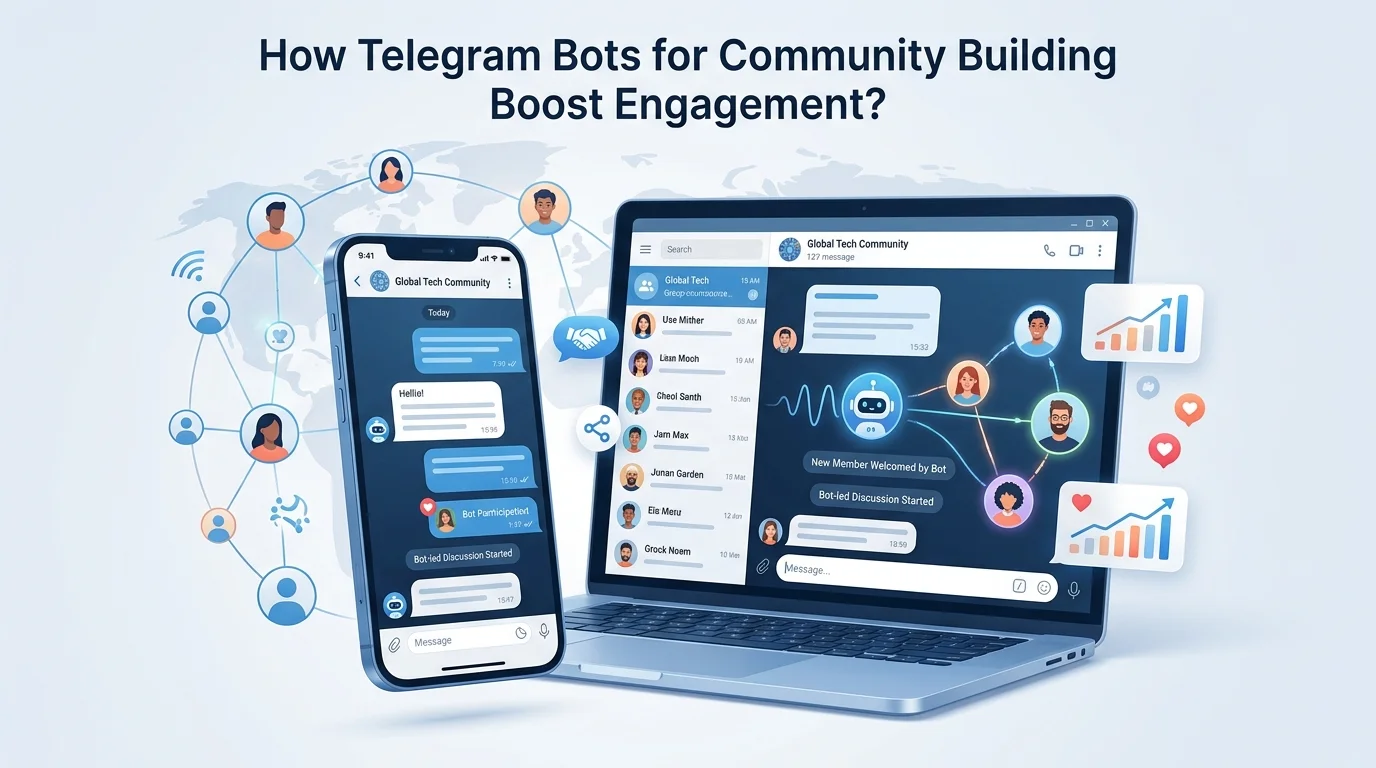
How Telegram Bots for Community Building Boost Engagement?
Healthy communities on Telegram rarely happen by accident. They grow when structure meets conversation, and that’s where Telegram Bots for Community Building come in. The right bots keep spam out, welcome newcomers, surface insights, and streamline the everyday choreography of a busy chat. People stay because it feels organized without feeling controlled.
Telegram community building bots help groups grow and stay healthy by automating moderation, onboarding, analytics, and content delivery. Start by choosing a moderation bot, add onboarding and polls, then layer analytics and scheduling. Set rules, track KPIs, and iterate weekly. The result is calmer chats, faster responses, and measurable growth.
Table of Contents
Why Telegram for Community Building
Telegram blends real-time group chat with broadcast channels, file sharing, voice and video, and a Bot API that’s open and well documented. Groups can scale to very large communities, with supergroups designed for high message volume and deep moderation controls. Topics let admins split conversations into threads, which reduces noise and gives new arrivals a way to find their people fast.
Community organizers also tend to value Telegram’s portability. The app works across iOS, Android, desktop, and the web. Media feels instant. Forwarding and deep links make content and invites travel well. Then there’s the bot ecosystem. With inline keyboards, commands, callback buttons, and web apps, bots can run onboarding flows, collect feedback, or even gate access without dragging users into yet another tool.
Here’s the thing. Groups are only as welcoming as their first few minutes. Telegram helps by giving admins granular controls for join permissions, slow mode, and anti-spam parameters. When paired with Community Building Telegram Bots, those controls turn into a repeatable experience. People can feel the difference the moment they land.
Telegram Bots for Community Building Explained
Telegram bots are programmatic accounts created via BotFather that interact through the Telegram Bot API. They can post messages, respond to commands, manage roles, and process callbacks from inline buttons. Bots do not initiate conversations with users directly. A user must first interact, join a group with the bot, or use a deep link to give permission.
What data can bots see. Telegram shares user IDs, usernames, names, and message content in contexts where the bot is present. Bots cannot access a user’s phone number or contact list unless the user explicitly shares it via a request contact button. That privacy boundary shapes responsible bot design and keeps expectations clear.
From a community perspective, Telegram Bots to Build Community cover four jobs. Keep the space safe. Help new people understand the culture. Make content flow without manual effort. Translate activity into insights. Bots for Telegram Community Building do not replace human hosts. They act like tireless stewards that free humans to have better conversations.
Use Cases and Bot Types for Telegram Community Building Bots
Moderation and anti spam bots
Moderation starts with guardrails that feel fair. Solid bots filter spam links, profanity, repeated messages, and suspicious mentions. Anti-flood controls cap message bursts. Newcomer limitations prevent instant posting until a short verification step is complete. These features slash noise and reduce moderator fatigue.
- Link and media controls: Allow images but block unknown URLs, or auto-remove referral links during launches.
- Language filters: Maintain a word list and escalation rules for slurs or harassment.
- Flood and raid protection. Temporarily slow chat when a wave of joins triggers risk signals.
- Timeouts and sanctions: Graduated responses before a ban keeps moderation proportional.
A quick story. A 5,000 member investing group got swarmed by giveaway spam after a viral post. A verification bot and anti-flood filter went live the same evening. By morning, spam dropped to near zero. Members said the chat felt calm again. That calm is the point.
Onboarding and verification bots
Onboarding bots greet newcomers, share house rules, and ask for a quick confirmation. Reaction-based verification or simple quizzes reduce bot raids and set expectations. The tone matters. Friendly, brief, and actionable beats long lectures every time.
- Welcome sequences: A 3-step intro with rules, topic links, and a “say hello” prompt.
- Reaction checks: Tap a button to unlock posting. Easy for real humans, hard for spam scripts.
- Role tagging: Assign a role or topic tag for tailored follow-up messages later.
Analytics and community insights bots
Analytics bots track message volume, growth, engaged users, and peak hours. Quality metrics help too. Think first-time poster rate, mod actions per day, or message-to-reply ratio. When Telegram Bots for Building Communities surface this context, admins can tweak rules and programming rather than guess.
- Growth curves and join sources via deep links.
- Engagement heatmaps by hour and weekday.
- Retention snapshots for new cohorts after seven or thirty days.
- Moderator load and response time to member reports.
Tools like Combot and TeleMe are known for group analytics and dashboards that summarize activity without exposing private data unnecessarily.
Best Telegram Bots for Groups
Group management and admin tools
For Telegram bots for groups, start with a dependable moderator and an onboarding assistant. Then add utilities that improve day-to-day flow.
| Bot or tool | Best for | Standout features | Notes |
| Combot | Analytics and moderation | Anti-spam, rules, dashboards, word filters | Popular in larger groups |
| Shieldy | Human verification | Tap-to-verify, time-limited posting for newcomers | Lightweight and focused |
| Rose | Advanced moderation | Granular filters, auto-warnings, logs | Good for high-traffic supergroups |
| GroupHelp | Rule enforcement | Anti-flood, media controls, auto-responses | Flexible configurations |
These bots for Telegram Community Building cover most needs: anti-spam, verification, logging, and analytics. Choosing comes down to configuration depth, simplicity, and whether your moderators prefer command syntax or button menus.
Polls surveys and feedback
Telegram has a native Polls feature with quizzes and anonymous voting. For richer surveys, look for bots that collect structured feedback and export to CSV. Optionally add an “Ask Mods” bot that routes anonymous questions to an admin-only room. It’s a simple way to surface quiet concerns without public pressure.
- Vote or native Polls for quick sentiment checks.
- Quiz-style polls for onboarding knowledge checks.
- Anonymous dropbox bots to collect suggestions before roadmap chats.
Content automation and scheduling
Content automation tools schedule messages, handle RSS imports, and format posts with buttons. Controller-style bots help channels and groups plan a weekly cadence without manual copy and paste. RSS readers keep newsy communities humming during off hours.
- ControllerBot for scheduling and formatting posts with buttons.
- FeedReaderBot to pull RSS into a topic or channel.
- Keyword-trigger bots to surface FAQs or rule reminders on demand.
Best Telegram Bots for Channels
Broadcasting and scheduling
Channels thrive on consistent delivery. Scheduling bots queue posts, A/B test headlines with emoji variants, and attach inline buttons that drive clicks. The best picks integrate a clean calendar view, reuse saved templates, and let editors collaborate without admin sprawl.
Many channel teams use Controller-style bots with a simple flow. Draft. Preview. Schedule. Then monitor click-through on inline buttons to compare calls to action across posts.
Link tracking and UTM analytics
Telegram channels don’t natively report web conversions. Two tactics work well. First, attach UTM parameters to links that land on your own pages, then measure results in your analytics platform. Second, use a bot or service that creates short links per post or per button to compare relative performance. Combot and similar tools can show click distributions and post-by-post engagement.
- Unique URLs per post or per button to compare clicks.
- UTM tags for source and campaign names matched to a content calendar.
- Deep-link invites to attribute joins to specific campaigns.
Subscription and paywall options
Paid channels run through bots that manage access to private groups or channels after payment. Services like InviteMember connect payment processors and maintain paid membership lists so access stays in sync. Always state terms clearly. People want to know what they get, how to cancel, and who to contact if billing goes sideways.
Reminder. Telegram forbids spam and abusive monetization patterns. Paywalls are fine when they comply with platform rules and local law, and when they are paired with clear disclosures.
Telegram Bots for Community Management Workflows
Moderation rules and escalation
Good communities document moderation rules so every admin applies them the same way. A clear flow reduces arbitrary decisions and improves fairness.
- Define offenses and responses: Map spam, harassment, and off-topic to warning tiers and timeouts.
- Automate first response: Let the bot apply warnings and send rule reminders.
- Escalate to humans: Route repeat offenders and edge cases to a moderator queue.
- Log decisions: Keep a private channel for actions and rationales to build consistency.
Role based permissions and admin collaboration
Role clarity prevents accidents. Assign owners for moderation, programming, onboarding, and analytics. Use Telegram’s admin permissions to restrict risky powers. Maintain an admin-only room for decisions, plus a read-only “mod-log” that captures bot actions and manual edits so everyone stays in the loop.
“Clear is kind,” as people like to say. When roles and rights are clear, admins act faster and the community feels safer.
Reporting cadence and KPI dashboards
Weekly reporting keeps momentum. A basic dashboard works for most Telegram bots for community management.
- Growth: Net joins, deep link sources, invite acceptance rate.
- Engagement: Daily messages, replies, reaction usage, peak hours.
- Quality: Spam blocked, warnings issued, time to moderator response.
- Onboarding: First-week message rate, first-time posters, rule acknowledgment rate.
Set a 30 minute weekly review. Pick one friction point. Experiment for a week. Repeat. Over the past decade, communities that keep this light rhythm tend to outlast busier but less disciplined counterparts. Small, steady improvements compound.
Building Telegram Bots With Python
Prerequisites and API basics
Start by creating a bot with BotFather to get a token, then choose a Python framework. python-telegram-bot focuses on ease of use. Aiogram is asyncio-native and scales well. Pyrogram exposes lower-level Telegram features. Store your token in an environment variable. Keep logs from day one. The Bot API reference is the north star for supported methods, updates, and keyboard types.
- Core objects: Update, Message, Chat, CallbackQuery.
- Key capabilities: Commands, inline keyboards, web app buttons, deep links.
- Security basics: Validate incoming requests and sanitize user input.
Webhook versus long polling
Long polling is the simplest way to start. Your bot asks Telegram for updates, then processes them in your code. It works well during development and for modest traffic. Webhooks push updates to your endpoint. Webhooks reduce latency and scale more predictably for busy groups, but you need a public HTTPS endpoint and to handle retries gracefully.
As usage grows, switch to webhooks with a queue or worker model so spikes don’t drop messages. Telegram’s limits apply per method, per chat, and globally. Bursts should be smoothed and messages bundled where possible.
Deploying to cloud services
Modern cloud hosts make deployment fast even for hobby projects.
- Choose a host: Render, Railway, Fly.io, or a tiny VPS handle long polling easily.
- Add HTTPS for webhooks: Use Cloudflare Tunnel or a managed SSL endpoint.
- Set environment secrets: Token, webhook URL, and optional database URL.
- Add a background worker: Process updates off the web thread to avoid timeouts.
For databases, SQLite works for small bots. Postgres handles queues and analytics better. Containers help keep environments consistent. Many teams deploy to Cloud Run or App Runner for an auto-scaling webhook endpoint with minimal ops.
Compliance Privacy and Safety Considerations in the United States
Legality of Telegram bots in the United States
Telegram bots are legal to build and operate in the United States when they comply with Telegram’s Terms of Service, respect user consent, and do not violate laws on unauthorized access or intellectual property. The Computer Fraud and Abuse Act prohibits unauthorized access to systems. Copyright law applies to media shared through bots. Spam and deceptive practices can trigger enforcement by regulators or consumer protection laws.
Data privacy and user consent
Respect what users expect. State what data you collect, why you collect it, and how long you keep it. Provide a way to opt out or delete data on request. If your bot targets children under 13 or knowingly collects data from them, the Children’s Online Privacy Protection Rule applies with strict consent and disclosure obligations. In California, the CCPA gives residents rights to know, delete, and opt out of sale or sharing of personal information. These aren’t Telegram-specific rules. They are broader legal obligations that still apply when the interface is a chat.
Platform policies and rate limits
Telegram prohibits spam, scams, and abuse across private and public spaces. Bots that drive unsolicited messages, fake engagement, or deceptive monetization risk bans. From a technical angle, Telegram enforces Bot API limits. Send messages at a reasonable pace and batch edits to avoid hitting per-chat and global thresholds. Good operational hygiene, like exponential backoff and queueing, keeps bots healthy under load.
Methodology note. Recommendations here reflect the Telegram Bot API, Telegram’s published policies, and hands-on community management patterns. Where official numbers are ambiguous, claims are editor-verified against current public documentation.
Conclusion
Telegram Bots for Community Building work best when paired with clear purpose, kind moderation, and steady programming. Start small. Automate the boring parts. Measure what matters. Then keep iterating. Communities grow when they feel safe, useful, and alive.
FAQs About Telegram Bots for Community Building
How to use Telegram to build a community?
Pick a clear purpose, create a supergroup, set rules, and enable Topics. Add Telegram Community Building Bots for moderation, onboarding, and analytics. Run a weekly lineup of prompts, polls, and events. Use deep links to attribute joins. Review a simple KPI dashboard and adjust programming every week.
What is the most useful bot in Telegram?
It depends on the job. For group health, a reliable moderation bot is the most useful because it protects every other activity. Many admins start with Shieldy for verification and Combot or Rose for moderation and analytics, then add Controller-style bots for scheduling content.
Are Telegram bots illegal?
No. Telegram allows bots created through BotFather and the Bot API. Bots must follow Telegram’s Terms and US law. Illegal uses include spam, unauthorized data collection, fraud, or copyright infringement. Clear consent, transparency, and compliant content are the safe path.
How can I add 5000 members in a Telegram group?
Groups can scale far beyond 5,000 with supergroups, but there’s no shortcut to forced growth. Use invite links, deep links per campaign, collaborations with adjacent communities, quality programming, and consistent posting. Avoid bought members. They erode trust and trigger anti-spam systems.